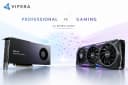
RTX PRO GPUs vs Consumer RTX GPUs for Professional AI: Which Should You Choose?

“Do you really need a professional GPU for AI, or can a high-end gaming GPU do the job?”
It’s a fair question. AI workloads that once required specialized data-center infrastructure can now run on powerful desktop GPUs, making consumer RTX cards surprisingly capable for developers, researchers and professionals. At the same time, GPUs such as NVIDIA’s RTX PRO series offer features aimed specifically at demanding professional workloads.
For businesses and professionals evaluating AI hardware, Viperatech offers both consumer and enterprise-oriented computing solutions. But the important question isn't which GPU is more expensive. It’s which one actually fits your workload?
What’s the difference between RTX PRO and Consumer RTX GPUs?
At a basic level, both RTX PRO and consumer GeForce RTX GPUs use NVIDIA GPU technology to accelerate demanding workloads, including AI.
The biggest difference is what each product family is designed around.
Consumer RTX GPUs are primarily built for gaming, content creation and enthusiast computing. They can also be excellent AI development machines.
RTX PRO GPUs are designed with professional workstations and demanding professional applications in mind. Depending on the specific model, they can offer higher memory capacities and professional-oriented features that become valuable in production environments.
So, RTX PRO doesn't simply mean “faster.” The distinction is more about capacity, workload requirements, professional features and deployment expectations.
RTX PRO vs Consumer RTX: What changes for AI?
Factor | RTX PRO | Consumer RTX |
AI performance | Excellent | Excellent |
VRAM options | Often higher | Generally lower |
Professional workloads | Strong focus | Capable |
Enterprise/workstation use | Strong fit | Possible |
Gaming | Capable | Primary focus |
Price | Typically higher | Typically lower |
Best suited for | Professional & enterprise AI | Development, enthusiast & smaller workloads |
Specifications can vary significantly between generations and individual models, so buyers should always compare the actual GPU rather than relying solely on the product category.
Does more VRAM actually matter for AI?
Yes, but only when your workload can use it.
Think of VRAM as the GPU's workspace. When you're running an AI model, parts of the model and its data need to fit into that workspace.
More VRAM can therefore be particularly useful for:
This is one reason high-memory professional GPUs can be attractive for serious AI workloads. For example, Viperatech has highlighted the changing market around the RTX PRO 6000 Blackwell, including NVIDIA's reported pricing increase.
NVIDIA Raises RTX PRO 6000 Blackwell Pricing to $16,000
However, more VRAM doesn't automatically mean proportionally faster AI. If your model already fits comfortably into a consumer GPU's memory, paying substantially more for additional capacity may not provide much practical benefit.
When does a Consumer RTX GPU make more sense?
For many users, a consumer RTX GPU is already enough for professional AI development.
A GeForce RTX card can make sense if you're:
Developing and testing AI applications
Experimenting with local LLMs
Working with AI image generation
Fine-tuning smaller models
Building prototypes
Learning machine learning
Combining AI work with gaming
Working within a defined hardware budget
For an independent developer or small team, spending more on an RTX PRO card simply because it's a professional product may not be the best investment.
The real question is whether the GPU provides enough VRAM and compute performance for your particular models and applications.
When is an RTX PRO GPU worth the extra money?
RTX PRO becomes more compelling when the GPU is part of a professional production environment rather than simply an experimentation machine.
Consider RTX PRO when you need:
High VRAM capacity
Sustained professional workloads
A dedicated AI workstation
AI combined with professional visualization or engineering applications
Greater headroom for demanding models
Enterprise-oriented workstation infrastructure
Hardware designed around professional workflows
For a business, the cost of the GPU isn't necessarily the only consideration. If a workstation is expected to operate continuously and support revenue-generating workloads, capacity and reliability can matter more than the initial purchase price.
That doesn't mean RTX PRO is automatically the right choice. It means the additional capabilities can become easier to justify as the workload becomes more demanding.
Is the GPU the only thing that matters?
Not at all.
A professional AI system is more than a graphics card. CPU performance, system RAM, storage, cooling, power delivery and networking can all affect how effectively an AI workload runs.
This becomes particularly important when moving from a single workstation to a multi-GPU server or enterprise deployment.
For organizations building larger AI infrastructure, server platforms such as Supermicro can provide the foundation around the GPUs. Viperatech also discusses why businesses are considering Supermicro infrastructure for AI and data-center deployments.
Why US Companies Are Choosing Supermicro Servers for AI and Data Centers
Are there compliance considerations when buying professional AI GPUs?
There can be.
Certain high-performance AI GPUs and server systems may be subject to export controls, end-use requirements or other compliance considerations, depending on the product, buyer, destination and intended application.
That doesn't mean every GPU purchase follows the same process. However, businesses purchasing advanced AI hardware internationally should check the applicable requirements before placing an order.
Viperatech provides additional information about its AI-compute quote and compliance process here:
AI Compute Compliance Guidelines: What You Need Before Requesting a Quote
RTX PRO or Consumer RTX: Which should you choose?
Choose Consumer RTX if:
Your AI models fit comfortably within the available VRAM.
You're developing, testing or experimenting.
Gaming is also important to you.
You want strong AI performance at a lower entry cost.
Choose RTX PRO if:
Your workloads require substantially more VRAM.
You're building a professional AI workstation.
AI is part of a sustained business-critical workflow.
You're combining AI with professional visualization or workstation applications.
You need more capacity for future workloads.
The simplest rule is this:
Don't buy the most expensive GPU you can afford. Buy the GPU that gives your workload enough headroom without paying for capabilities you don't need.
Frequently Asked Questions
Is RTX PRO better than GeForce RTX for AI?
Not necessarily in every AI workload. Consumer RTX GPUs can deliver excellent AI performance, while RTX PRO models can offer advantages such as higher memory capacity and professional-oriented capabilities depending on the specific model.
Can a consumer RTX GPU run professional AI workloads?
Yes. Many developers, researchers and professionals successfully use consumer RTX GPUs for AI development, inference, experimentation and smaller-scale training.
Why does VRAM matter for AI?
VRAM determines how much model data and workload information can reside directly on the GPU. Larger models and workloads often benefit from having more available VRAM.
Is RTX PRO worth the higher price?
It depends on the workload. If you need high memory capacity and professional workstation capabilities, the additional cost may be justified. For smaller workloads, a consumer RTX GPU may provide better value.
Final thoughts
The choice between RTX PRO and consumer RTX isn't really about professional versus non-professional. It's about matching hardware to the work.
A powerful consumer RTX GPU can be an excellent AI development platform, while an RTX PRO GPU becomes increasingly attractive when memory capacity, demanding professional workloads and enterprise requirements enter the picture.
For businesses exploring everything from individual AI workstations to larger infrastructure, Viperatech provides access to consumer GPUs, professional RTX solutions and enterprise computing hardware.
Ultimately, the smartest AI GPU isn't necessarily the most powerful one. It's the one that gives your workload the performance and headroom you actually need.